Expanding your reach across languages shouldn’t mean manually rewriting every message. With the AI Translate action in your workflow builder, you can automatically convert text from one language to another — helping you deliver personalized communications to audiences around the world.
What Is the AI Translate Action?
The AI Translate action is a built-in automation tool that instantly translates text during workflow execution. Instead of manually translating content for every contact, you can configure this action to take text in one language and output it in another. That translated content becomes usable later in the workflow — whether you’re sending an email, SMS, notification, or updating a record.
This makes multilingual communications seamless. For example, incoming messages or marketing content can be translated on the fly to match your contact’s preferred language — improving engagement and customer experience.
How to Set Up the AI Translate Action
Here’s how you can configure translation within an automation:
Add the Translation Action
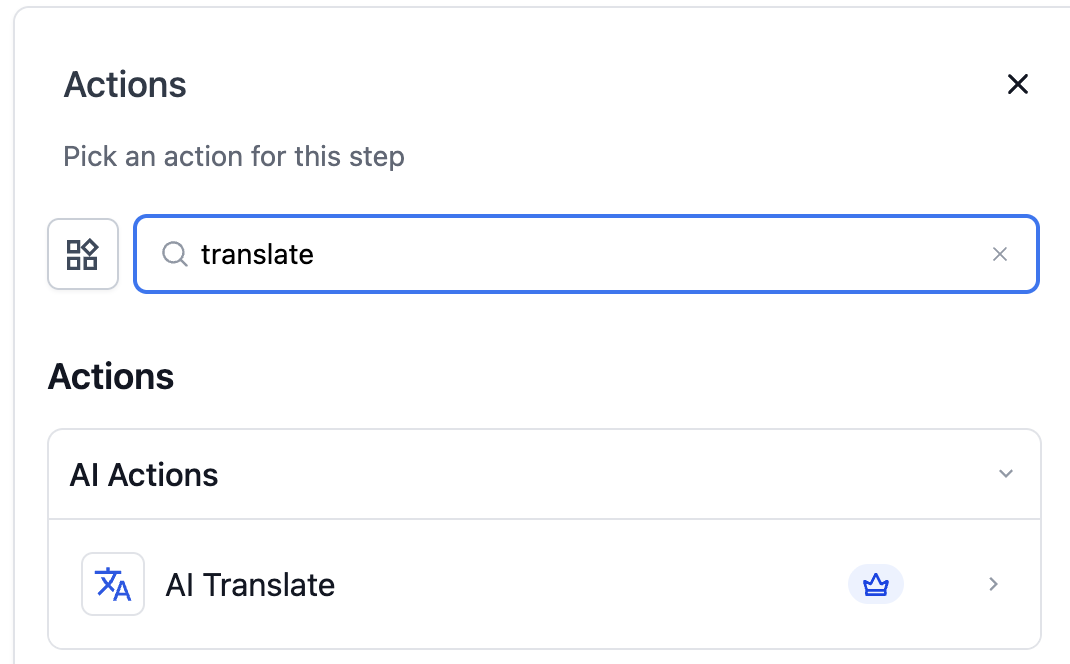
Inside your workflow editor, click the + button where you need the language conversion to occur and search for “Translate.” Add it to your automation sequence.
Configure the Action Settings
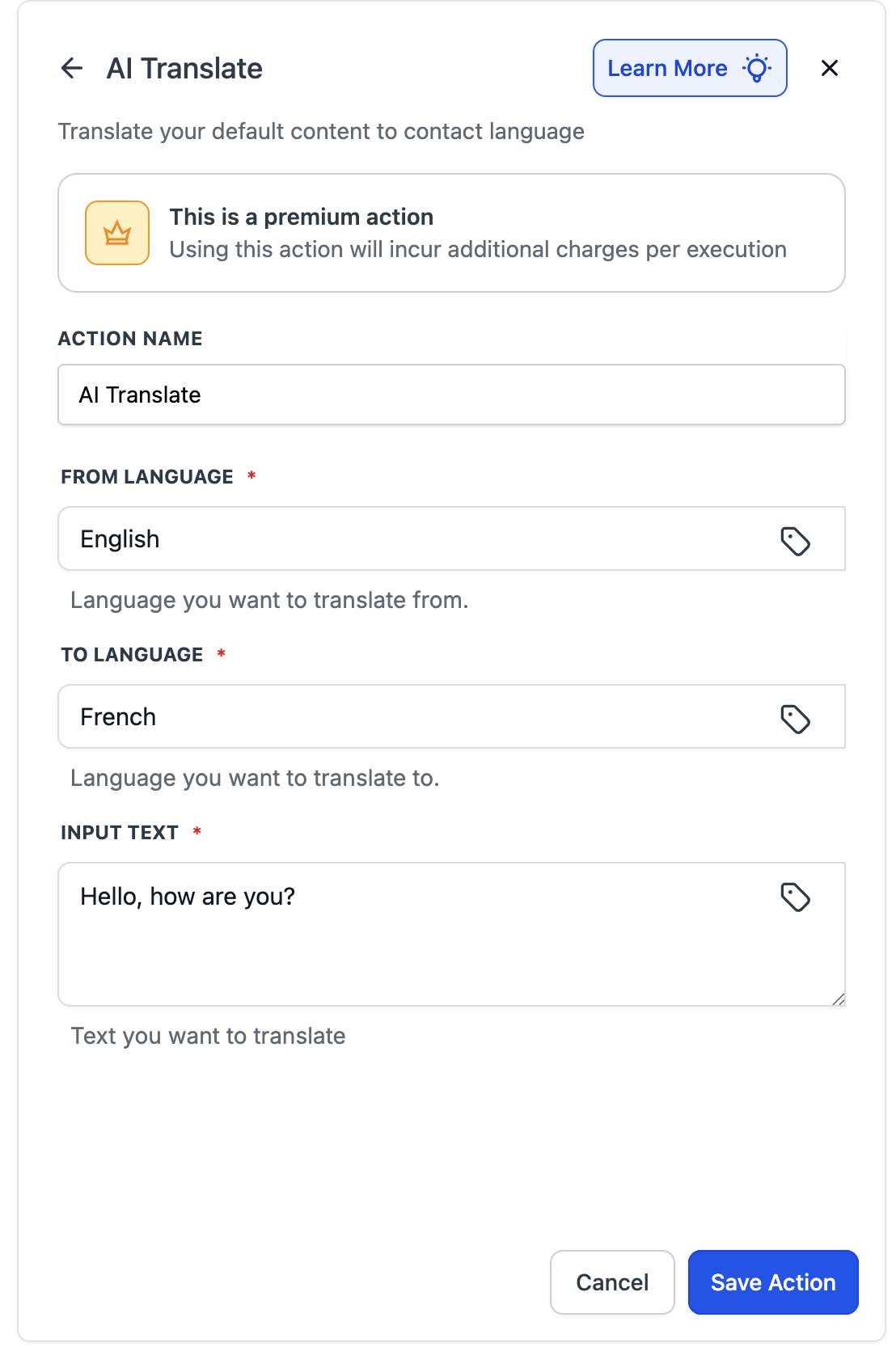
Action Name: Give it a clear label (e.g., “Translate Email to Spanish”).
From Language: Select the original language of the text.
To Language: Choose the target language you want the text translated into.
Input Text: Enter the content to translate — either as static text or by inserting a workflow variable (like a contact field or prior action output).
Save and Use the Translated Output
Once configured, the translated text is stored as a workflow variable. You can then insert that variable into subsequent actions like emails, SMS, or internal messages.
Example Use Case: Personalized Onboarding in Another Language
Imagine a new contact opts in and selects “French” as their preferred language on a form. Your workflow can:
Trigger when a contact is created.
Use AI Translate to convert a standard welcome message from English to French.
Send the translated message via email automatically.
This ensures each contact gets a welcome message in their language without extra manual steps.