
How to Generate SEO-Friendly Blog Posts with AskAI
Writing a blog post the traditional way means staring at a blank page, building an outline, drafting section by section, and bouncing between a writing tool and your publishing platform until the whole thing finally comes together. It works, but it's slow — and when you're trying to publish consistently, slow is the enemy.
AskAI collapses that entire process into a single conversation. You describe the post you want, and it hands back a structured, long-form draft — titles, headings, and body copy included — without you ever leaving Ajax Union MarTech. From there, you refine it, drop it into your blog, and publish. This guide walks through exactly how to do that, and how to get drafts that are genuinely good rather than generic.
If you're new to AskAI in general, start with our overview guide on what AskAI can do — this post assumes you already know where to find it and focuses specifically on long-form blog content.
What Blog Post Generation in AskAI Actually Does
Think of it as an end-to-end drafting partner. You give AskAI a topic or a prompt, and it turns that into a complete blog draft inside the chat — not a rough sketch, but a logically organized article you can refine rather than rebuild. You ideate, outline, and draft in one place, then move the finished content into your blog for formatting and publishing.
The reason this matters for SEO is structure. When you ask AskAI to write a post, it doesn't just produce a wall of text. It suggests title options, builds a clear heading hierarchy, breaks content into skimmable sections, and uses lists where they genuinely improve readability. That's the same structure search engines and readers both reward — so you're starting from a foundation that's already aligned with how good blog content is supposed to look.
Writing Your First Draft
The quality of what you get back depends almost entirely on the quality of your prompt. A vague request gets a vague post. A specific one gets something close to publish-ready.
Open AskAI from your navigation and click New chat to start a fresh conversation dedicated to this post. Keeping each blog draft in its own chat keeps the context clean and the revisions focused.
Then write a prompt that gives AskAI real direction. Instead of "write a blog about SMS marketing," try something like: "Write a 1,500-word blog post for local service business owners on how to use SMS marketing to boost appointment bookings. Tone: friendly but professional. Include headings, subheadings, and a conclusion with a call to action."
The details that make the biggest difference:
Target audience and expertise level — who's reading this, and how much do they already know?
Desired length — an approximate word count, or simply "short," "medium," or "long."
Tone and brand style — authoritative, conversational, playful; mention your brand voice if you have one configured.
Primary SEO keywords — the phrases you want the post to rank for.
Any CTA, offer, or feature the post should promote.
Submit the prompt, and within a few seconds AskAI returns title suggestions, a structured set of headings and subheadings, and full long-form body content — often with bullet lists or numbered steps where they fit.
Getting Drafts That Feel Current
Generic AI content has a tell: it reads like it could have been written any year, about any business. AskAI can pull in web-based context to fix that, grounding your draft in up-to-date terminology, trends, and examples instead of recycling stale generalities.
This is especially useful for posts about fast-moving subjects — recent industry shifts, new best practices, or anything where "the latest" actually matters. Ask for "recent trends in..." or "current best practices for..." and the draft will reflect that recency, with more depth and more credible examples than a context-free version would produce.
One honest caveat: web context improves freshness, but it doesn't guarantee accuracy. Treat every draft as a research-assisted starting point. Scan it, verify any statistics or specific claims, and layer in your own proprietary insight before it goes live. The AI gets you to a strong first draft fast — the editorial judgment is still yours.
Writing for Multiple Languages
If you serve clients across regions or maintain localized sites, AskAI can generate and localize blog content in the same workflow. You can prompt in English and ask for the post in another language — "Generate this blog in Spanish for a Mexico-based audience" — or prompt entirely in the target language from the start.
It goes beyond straight translation. AskAI can adjust phrasing, cultural references, and calls to action so the content feels native rather than converted, and it can translate an existing English draft into another language while preserving the structure and intent of the original. As with everything else, have a fluent speaker review high-stakes content before publishing to confirm nuance and local terminology.
Using URLs and Images as Context
AskAI writes better drafts when it understands your brand, product, and positioning — and you can feed it that understanding directly. Paste in URLs for context: your product pages, documentation, an existing blog you want to update, or a third-party article you want summarized or contrasted. You can also reference images — logos, product screenshots, diagrams — that help AskAI infer your industry, style, and use case.
AskAI uses this material to align its terminology and messaging with what's already on your site, and it can even suggest where an image might belong in the post ("include the dashboard screenshot here"). One important distinction: URLs and images are used as input context only. They aren't automatically embedded in your post. You stay in full control of which links and images actually appear when you format the final article.
Moving the Draft Into Your Blog
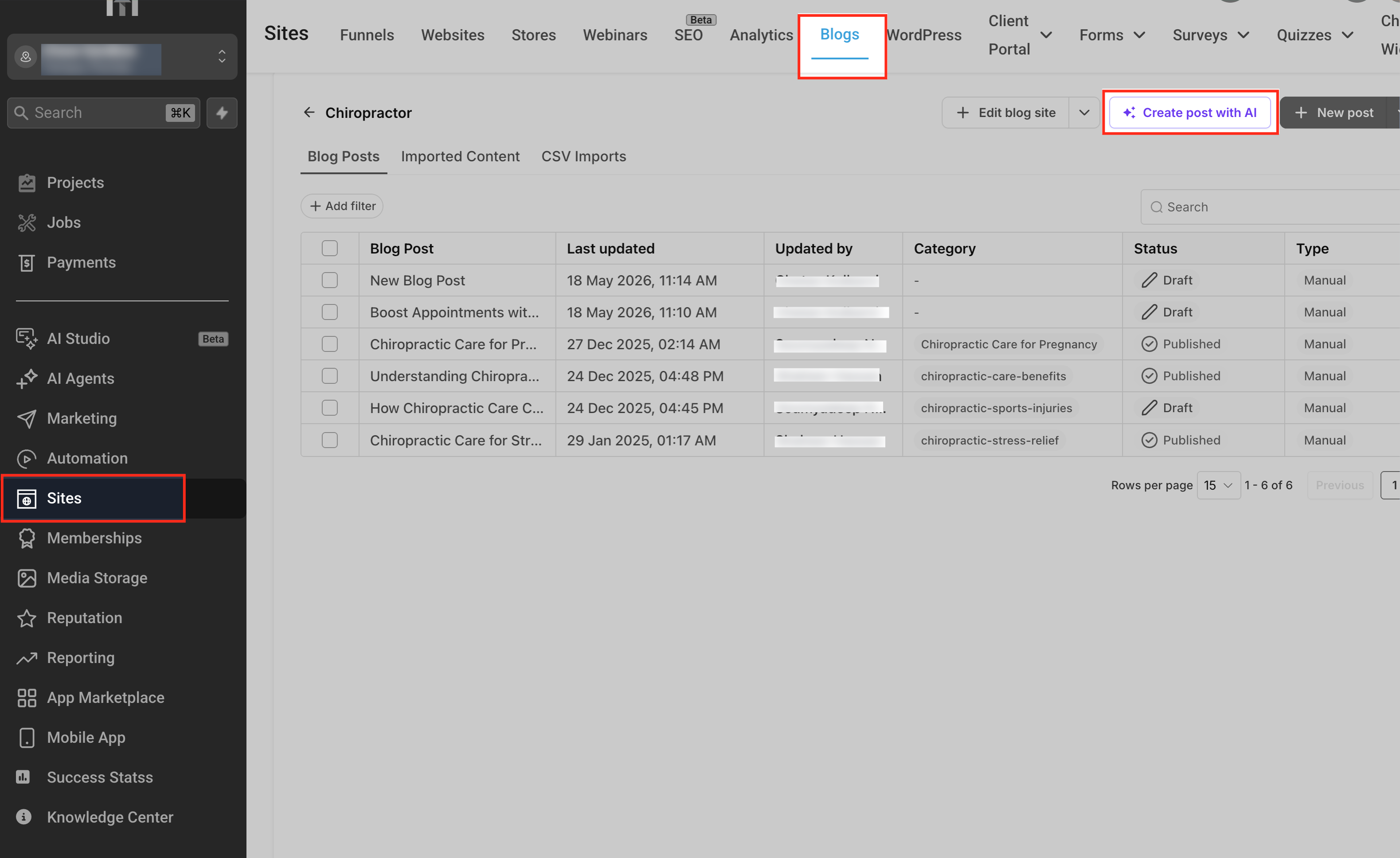
Once the draft reads the way you want, it's time to publish it. Copy the content from AskAI, then go to Sites > Blogs, choose your blog site, and create a New Post. Paste the draft into the content area and adjust the heading levels as needed.
From here, the blog editor's own AI tools take over for fine-tuning. You can expand or shorten individual sections, rephrase for a specific keyword, or tighten an intro — all in place, without going back to the chat. This two-step rhythm is how a lot of teams work best: use AskAI to get a strong, complete first draft, then use the in-editor tools for surgical SEO and polish.
Before publishing, handle the details that make a post perform: add internal links to related posts, insert your CTAs and lead magnets, and configure your SEO fields — slug, SEO title, meta description, cover image, and canonical URL. Then use the preview tools to confirm the layout, mobile rendering, and link behavior look right, and either schedule it or publish it live.
Frequently Asked Questions
Does AskAI automatically create the blog post for me, or just the draft? It produces a structured draft inside the chat. You then copy that content into the blog editor under Sites > Blogs to create the actual post, where you set SEO fields, categories, authors, and publishing options.
How is this different from the AI tools inside the blog editor? AskAI is built for conversational drafting — brainstorming angles, comparing titles, and generating a full post without opening the editor. The in-editor AI tools are optimized for refining what's already there: expanding, shortening, translating, and keyword tweaks in place. Most teams use AskAI for the first draft and the editor tools for the polish.
Can I control length, tone, and keywords? Yes — specify all of it in your prompt (word count, tone, primary keywords), then ask AskAI to revise: shorten a section, expand another, adjust tone, or emphasize a keyword until it's right.
Are the URLs and images I provide embedded automatically? No. They're used as context to shape terminology, examples, and structure. You decide which links and images actually appear when you format the post.
Can I generate posts in more than one language in the same chat? Yes. Create an English version, then request localized versions by specifying the target language and audience. Treat each as a starting point and have a fluent reviewer confirm nuance before publishing.
Is there an extra cost to use AskAI for blog generation? That depends on your account access. Blog generation is a richer task than a quick query, so reach out to the Ajax Union team if you have questions about what's included with your account.
Start Publishing Faster
Consistent blogging is one of the highest-leverage things you can do for organic traffic — and the bottleneck has always been the writing itself. AskAI removes that bottleneck. You go from a topic to a structured, SEO-ready draft in a single conversation, refine it in plain language, and publish without ever leaving the platform.
Log in at app.ajaxunion.com, open AskAI, and draft a post on a topic you've been meaning to cover. For more guides on getting the most from your Ajax Union MarTech account, visit martechsupport.com.

