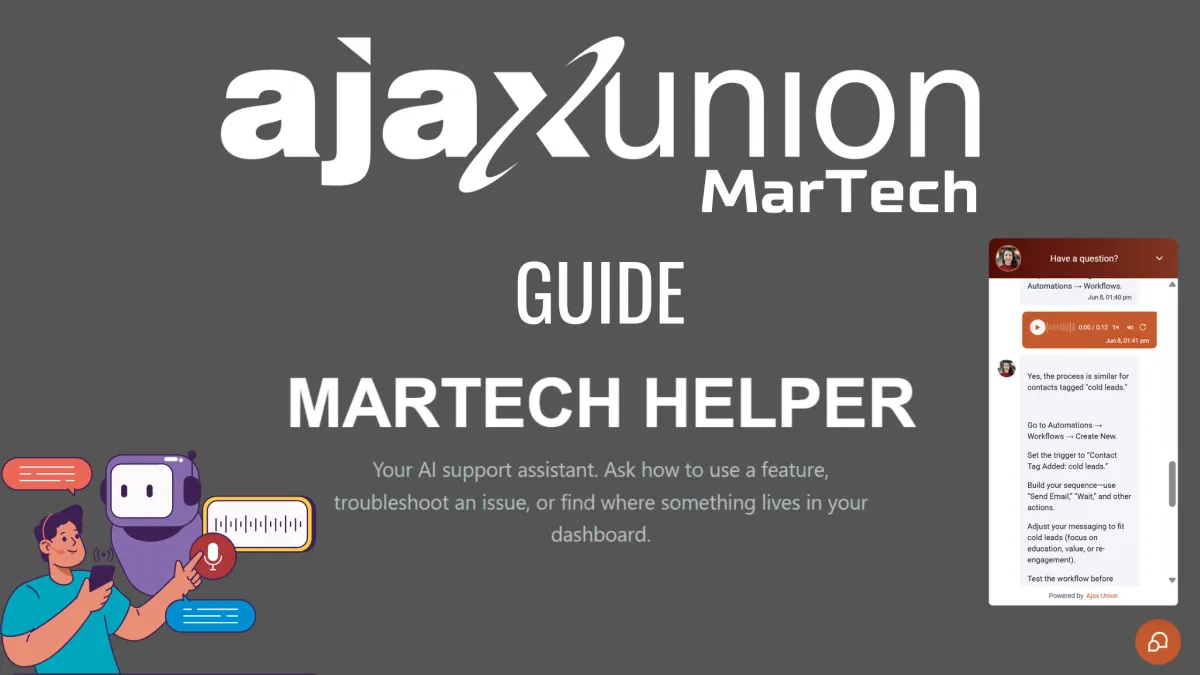
Meet martech helper ai support assistant
Meet MarTech Helper: Your Built-In AI Support Assistant
Every platform has a moment that stops you cold. You're mid-build, you know what you want to do, and you can't find the setting — or you find it and you're not sure which option is the right one. The old way to handle that is to open a support ticket, write up the problem, and wait. Sometimes hours. Sometimes a day. Meanwhile the thing you were building sits half-finished.
MarTech Helper is the answer to that moment. It's an AI support assistant built directly into your platform, ready to walk you through any feature, troubleshoot any issue, and tell you exactly where something lives — the second you need it. No ticket, no queue, no waiting on a reply that lands after you've already moved on.
This guide covers what MarTech Helper is, where to find it inside your account, and how to use it by text or by voice to get unstuck fast.
What MarTech Helper Actually Does
Think of MarTech Helper as a teammate who has read every help doc, knows your platform inside out, and never goes offline. You ask it a question the way you'd ask a colleague sitting next to you, and it answers with clear, step-by-step guidance tailored to what you're trying to accomplish.
It's not a generic search bar that hands you a list of articles to dig through. When you ask how to do something, it gives you the actual path — the right menu, the specific trigger, the next move — so you can act on the answer immediately instead of translating documentation into instructions yourself.
That makes it useful in three common situations. The first is how do I do this — you know the outcome you want but not the steps to get there. The second is something's broken — a workflow isn't firing, an email won't send, a setting won't save, and you need to troubleshoot. The third is where is this — you know the feature exists somewhere in the platform but can't remember which section it lives in. MarTech Helper handles all three without you ever leaving your account.
Where to Find MarTech Helper
MarTech Helper lives inside your account, ready whenever you are. To open it, head to Sites, then Funnels, and look for the MarTech Helper page — it's built into every account, so it's there waiting the moment you log in.
Open that page and you'll land on the Helper's home screen: a clean interface with a chat window and a few starter prompts to get you going. There's nothing to install, configure, or turn on. It's part of your platform from day one.
Asking Your First Question
The fastest way to understand MarTech Helper is to use it, so start with something real. Say you want to nurture your hot leads but you're not sure how to set it up. Type the question the way you'd say it out loud — "How do I follow up automatically with my hot leads?" — and send it.
Within seconds, the Helper responds with step-by-step guidance: where to build the automation, which trigger to use, and how to define what "hot" means for your contacts. It's specific and sequential, the kind of answer you can follow click by click rather than a wall of background you have to interpret.
The key habit to build here is plain language. You don't need to know the official name of a feature to ask about it. If you describe the result you're after — "stop emailing people who already booked," "send a text when someone fills out my form," "see which campaign brought in the most leads" — the Helper figures out which tools you need and points you to them. Ask the way you think, not the way the menu is labeled.
Asking by Voice
Typing isn't always practical. You might be on a call, working through a build with both hands busy, or simply moving faster than you can type. MarTech Helper handles that too — it takes voice input.
Tap the microphone, ask your question out loud, and the Helper transcribes and answers it just as if you'd typed it. This is the feature that turns the assistant from a thing you stop to use into a thing you use while you keep working. You can talk through a problem as it comes up, without breaking the flow of what you're doing.
Listening to the Answer
Voice runs both directions. The Helper can read its answer back to you out loud, so you can keep your eyes on your screen and your hands on your build while you listen to the next step. Ask out loud, listen to the reply, do the thing, ask the next question — the whole loop happens without you ever stopping to read.
It's a small shift that changes how the tool feels. Instead of a help window you toggle in and out of, it becomes more like working alongside someone who's talking you through the process in real time.
Keep Going Until It's Done
One question rarely tells the whole story, and MarTech Helper is built for the follow-up. If the first answer gets you partway, ask the next question and it picks up right where you left off. "Okay, now how do I make that only happen once?" or "What about contacts who don't reply?" — it stays with you, going deeper each turn until the thing is actually finished.
This is what separates it from a static help article. An article gives you one answer and stops. MarTech Helper holds the thread of what you're working on and keeps pace with you, which is exactly what you need when a real task has more than one moving part.
A Note on Credits
MarTech Helper runs on your account credits. Each time you ask it something — by text or by voice — it draws from the credit balance on your account, the same way other AI-powered tools in your platform do. There's nothing extra to buy or activate; it simply uses what's already in your account.
The practical takeaway is just to be aware of it. The Helper is there to save you the time and friction of the old support process, and for most questions that trade is well worth a few credits. Use it freely when you're stuck — that's what it's for — and keep an eye on your balance the same way you would with any other usage-based feature.
The Bottom Line
The gap between "I'm stuck" and "I'm moving again" is where most time gets lost inside any platform. MarTech Helper closes that gap. It's built into your account, it answers in plain language by text or voice, and it stays with you through the follow-ups until the work is done.
Next time you hit a wall, don't open a ticket and wait. Head to Sites > Funnels > MarTech Helper, ask your question, and keep building.

